Lead Storm Monitor

Your next reinspection list is already in your customer database.

Import past customers and active leads, map their locations, and keep watching them after the next storm. Paid accounts can also screen every eligible mapped lead against THOR's available two-year storm history to find records worth another call, inspection, or visit.

Import customer lists Monitor new activity Screen history on paid plans
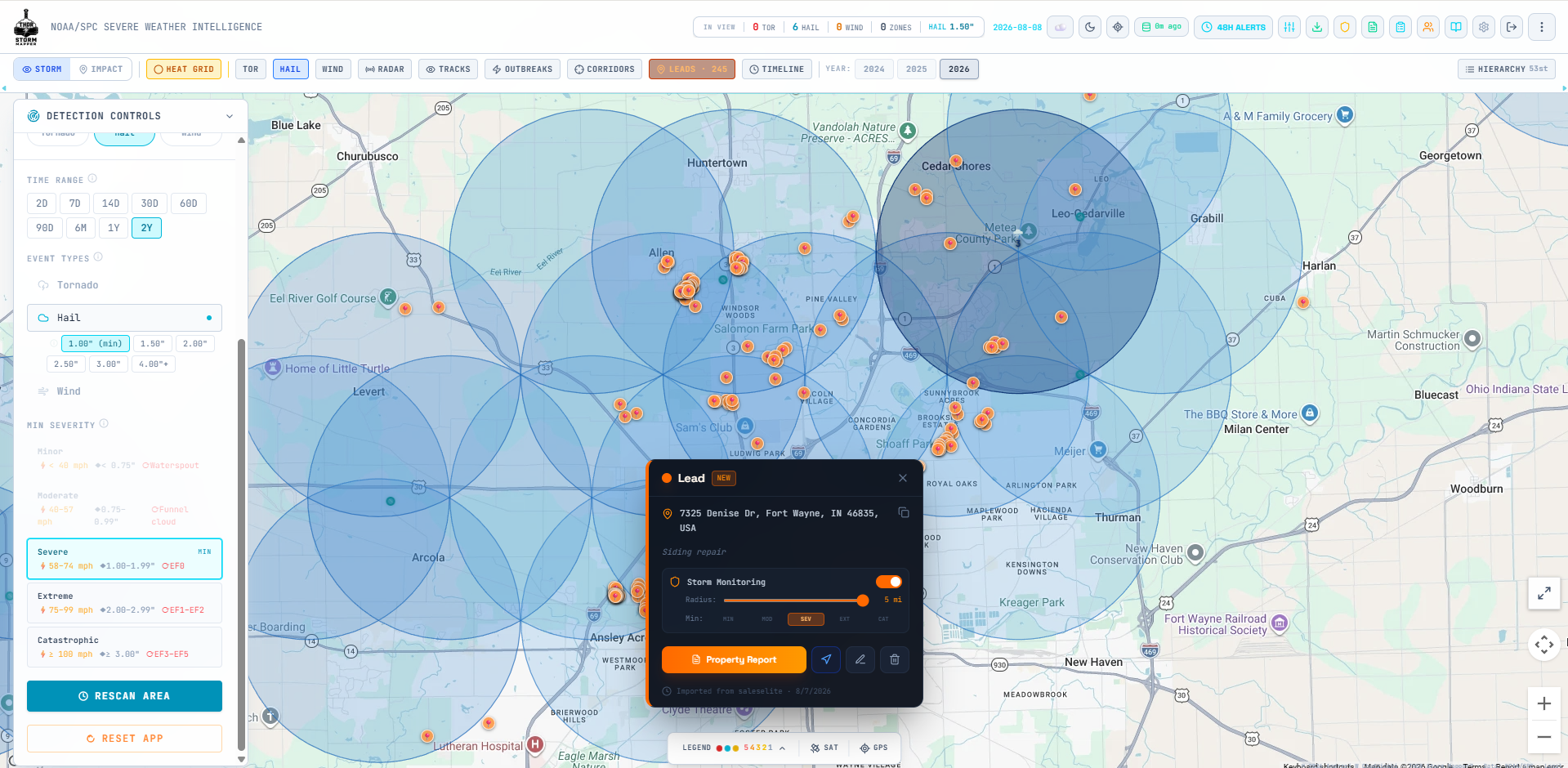
THOR Lead Storm Monitor showing lead pins and local monitoring areas on a storm map
Keep customer locations, storm activity, follow-up, and field notes in one shared workspace.

Two complementary workflows

Work the customers you already earned. Stay ready for the next storm.

Lead Storm Monitor gives you two ways to work a list: keep an eye on new activity going forward, then use a paid history screen when it is time to look back through the available record.

Live Lead Storm Monitor

Protect the book of business after the next storm.

Add or import leads, choose your monitoring options, and review Storm Hits when qualifying hail, wind, or tornado activity lands near those saved locations.

  • Map past customers and active leads in one place
  • Set local or Area Monitor coverage for the places you work
  • Open the storm evidence attached to affected locations
  • Track the next call, visit, or follow-up with the team

Paid full-history screening

Find the old customers worth a second look.

Paid accounts can screen every eligible geocoded lead against THOR's available two-year storm history, then sort the results into a practical reinspection and follow-up list.

  • One controlled scan across the eligible lead database
  • Records qualifying storm evidence in Storm Hits
  • Includes saved leads even when ongoing monitoring is off
  • Turns a dormant list into a focused research queue

A practical operating workflow

Start the morning with a real list, not a blank map.

  1. STEP 1

    Import the customers you know

    Bring in past customers, completed jobs, and active leads through a supported CSV export, or add locations directly from the map.

  2. STEP 2

    Run the paid history screen

    Scan the available two-year storm history to find records that deserve reinspection research or a fresh follow-up.

  3. STEP 3

    Work the list in priority order

    Open Storm Hits, review the recorded context, and move the right records into outreach, inspections, and sales follow-up.

  4. STEP 4

    Keep the list working

    Continue monitoring saved leads so the team sees future qualifying activity without rebuilding the customer list after every storm.

Questions teams ask

Lead Storm Monitor FAQ

Can I import a lead list into THOR?

Yes. THOR supports lead imports from CSV exports, including files from tools such as Spotio, Salesforce, and JobNimbus. Geocoded lead locations can then be organized and monitored inside Lead Storm Monitor.

What does a Storm Hit show?

A Storm Hit records qualifying storm evidence near a saved lead location. It gives the team a reason to open that record, review the storm context, and decide on the next outreach or field step.

Who can run a full-history lead scan?

Paid THOR accounts can bulk-scan eligible geocoded leads against THOR’s available two-year storm-history window. The scan gives the team a fast way to find past customers and leads that deserve another look.

Can my team monitor existing customers?

Yes. Add past customers, completed jobs, or active leads to the shared lead workspace, configure monitoring as needed, and review new qualifying storm evidence in Storm Hits.

Work the list you already paid to build

Start a free THOR trial and put your customer database back on the map.

Use one browser-based workspace to organize leads, watch future activity, research past storms, and keep the next customer conversation moving.